


Play Facebook Gameroom games easily and what you need to know about Gameroom. Facebook Gameroom is here to challenge the gaming dominance of iOS and Android. Facebook announced its gaming platform is now live on PC app a few months ago and is called Gameroom after a series of name changes, beta tests, and dev solicitation, Facebook beta build for all developers is now open and the app is available for users to download on Windows 7 and above.
About Facebook Gameroom
Facebook Gameroom is a PC-based gaming platform that allows users to play web, ported mobile, and native Gameroom games on Facebook PC app free from the interference of the Facebook News Feed.
According to Facebook’s director of global games platform, Leo Olebe, The launch of Facebook Gameroom will allow developers to export their games directly to Gameroom through Unity 5.6 which will be unveiled next year. It could be recalled that Facebook has earlier revealed it is working on arcade games alongside a partnership with the Unity group.
How to Install and play Facebook Gameroom Games & Installation Guide
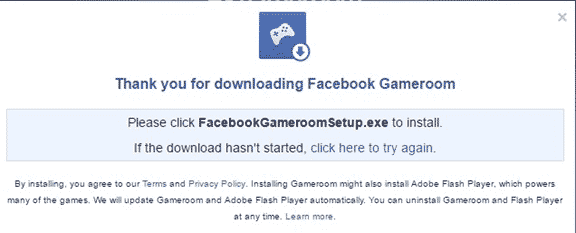
Before you can play Facebook Gameroom games you will need to log into your Facebook on a computer running Windows 7 and above. After you have successfully logged in, then go to www.facebook.com/gameroom and Follow the instructions to download and install Gameroom.
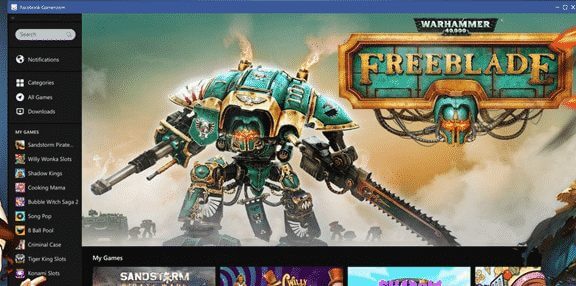
Alternatively, you can go to www.facebook.com/gameroom on any browser and download the exe installer file and install from the setup
After Facebook Gameroom has been successfully installed, you will see all of your Facebook games automatically appear in Gameroom with your existing levels and rewards. Facebook Gameroom has games like shooters, strategy titles, puzzlers, and casual games for people to try. Games are categorized into the arcade, shooter, Adventure, Racing etc.
How to play Facebook Gameroom Games
To play Facebook Gameroom games of choice, just click on the play now and a screen will come up asking you for permission to continue with your Facebook name.
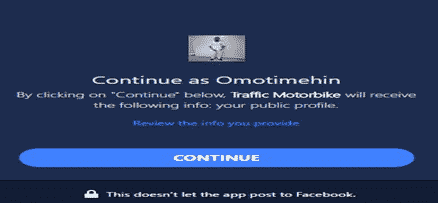
Click continue and the game will start downloading which you can now start to enjoy as soon as the game is fully downloaded.
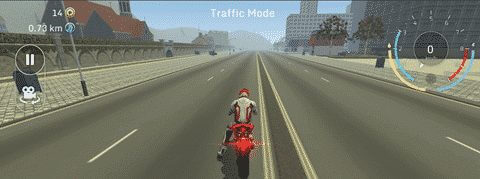
A screenshot of one of the games on Gameroom
Hope this post on how to play Facebook Gameroom games and its installation guide was helpful and you have been able to install Facebook Gameroom? Feel free to share with your friends on social media so that they too can benefit from this post.

I downloaded it and installed it and it is just a black screen with the facebook gameroom logo in the middle… what do I do?
Hi Patrick, what is the rating of the PC you downloaded the gameroom on?