


One of the most noticeable lifestyle changes brought about by the COVID-19 pandemic is the requirement to wear face masks in grocery stores, restaurants, and other public places. Wearing a mask is essential for slowing the spread of COVID-19, especially when in close proximity to others.
While Android users can easily unlock their phones with their fingerprint scanner, more recent iPhones only have face unlock, making it difficult for those with recent iPhones to open their phone in public without taking off their facemask. If you have a newer version of the iPhone and want to open your phone in public without taking off your facemask, this article is for you.
How to unlock your iPhone with a facemask on
If you have a newer model of iPhone, you can unlock it by entering its passwords; however, prying eyes make it a bit of a problem when out in public, which we understand.
There are two methods for unlocking your phone in public without removing your facemasks. These are the two methods:
- Making use of your Apple Watch
- Making use of your Face ID scanner
Unlocking your iPhone making use your Apple watch
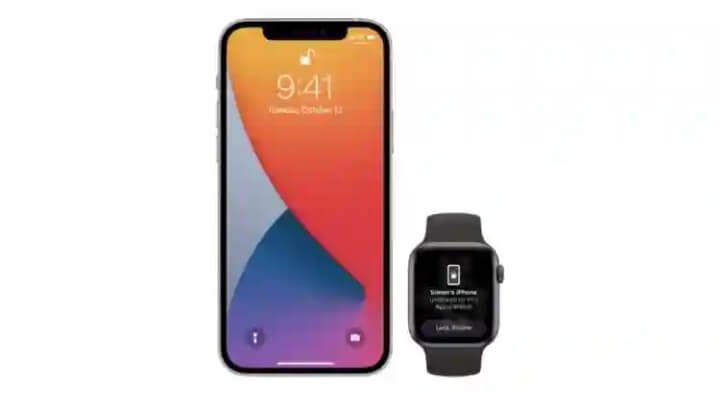
The Apple Watch can connect with an iPhone and share “some” information because it is part of the Apple device ecosystem. You can unlock your iPhone without taking off your facemask if you have an Apple Watch. This functionality requires iOS 14.5 or higher, as well as watchOS 7.4 or higher, so make sure your iPhone and Apple Watch are both current.
- Make sure you’re wearing your Apple Watch and that it’s connected to your iPhone.
- Go to settings, scroll down to “Face ID and Passcode,” and enable it.
- Switch the green slide next to your Smartwatch and click “turn on,” then enter your iPhone’s password and select the “unlock with Apple Watch” area.
To use your Apple Watch to unlock your iPhone, you’ll need to first unlock your Apple Watch, which should be on your wrist. Then, with your facemask on, switch on your iPhone and hold it to your face. When your iPhone detects that you’re wearing a face mask, it will send a notification to your Apple Watch indicating your iPhone has been unlocked.
Unlocking your iPhone making use your Face ID Scanner
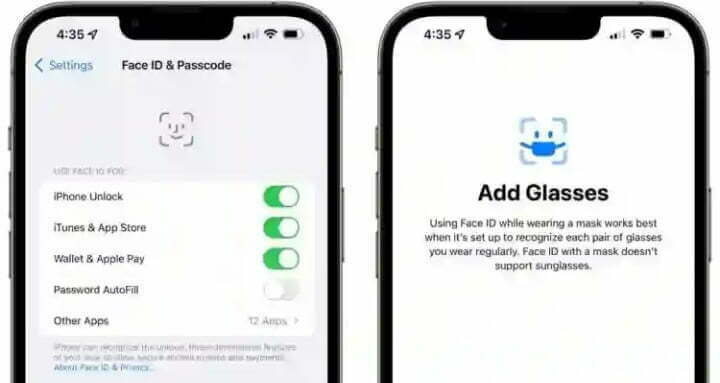
This option is only available on iPhone 12 and 13 models with iOS 15.4 or later. You’ll be able to use this function as soon as you update your iPhone to the most recent iOS version. To use it, go to your device’s settings and choose “Face ID and Passcode,” then enter your passcode.
- Select Face ID with a mask.
- To continue, tap “use Face ID with a mask” on the next screen.
- Next, tap “get started,” and then position your face (without a facemask) in the provided frame.
- Tilt your head to complete the circle, and your iPhone automatically take note of pertinent aspects around your eyes to recognize you while wearing a facemask.
- When finished, tap done.
That’s all there is to it. You now know how to unlock your iPhone while wearing a face mask. You don’t have to break Covid protocol by removing your mask to unlock your phone.
Will The iPhone 14 Series Come With A Fingerprint Scanner?
Many Apple users have expressed a desire for a fingerprint scanner, but Apple has made no promises that it will be included in the upcoming iPhone 14 series. Do you want to learn more about the iPhone 14? You can find out what we know so far about the iPhone 14 series by reading the article below:
iPhone 14, 14 Pro, 14 Pro Max Expected specs and price in Nigeria
